Is Plex Worth It? The Honest Answer for 2026
Disclosure: This article contains no affiliate links. It is purely informational.
Table of Contents
Netflix raised prices again. So did Hulu. Max. Disney+. Peacock. The average American household now pays over $60 a month for streaming services, which is more than many cable bills from five years ago. If you’ve started wondering whether there’s a smarter way to watch TV without paying $15 here and $18 there, Plex is worth understanding.
So is Plex worth it? The short answer is yes, for the right person and the right reasons. But Plex is not Netflix.
First things first
What Plex actually is
Plex is two things in one app, and most confusion about it comes from mixing them up.
Part 1: Your personal media library
If you have movies, TV shows, or music stored on a computer or hard drive, Plex organizes them into a Netflix-style interface and streams them to any device in your home, or anywhere in the world. Think of it as turning your personal collection into your own private streaming service.
Part 2: A free streaming service
Separate from your personal files, Plex offers over 14,000 free on-demand movies and TV shows plus 162 live TV channels, all ad-supported, no subscription required. This part works like Tubi or Pluto TV. You just need a free account.
You can use just Part 2 (the free streaming service) without ever touching Part 1. But the people who get the most out of Plex use both.
Plex free streaming
What you get for free
Plex’s free tier is genuinely substantial. A lot of apps call themselves “free” and mean “free to download, pay for everything useful.” Plex is different.
One exception on mobile: The iOS and Android apps are free to download but require a one-time $5 unlock fee to watch more than one minute of video. The unlock prompt appears automatically the first time you try to watch. Pay once through your App Store or Google Play account and it never asks again. There is no subscription attached to this payment.
The upgrade
What requires payment
Plex Pass is the optional paid subscription. It unlocks features that power users want but most casual viewers will never miss.
| Plan | Cost | Best for |
|---|---|---|
| Free | $0 | Free streaming + local personal media playback |
| Remote Watch Pass | $1.99/month | Streaming your personal media away from home |
| Plex Pass Monthly | $6.99/month | DVR, offline downloads, hardware transcoding, full remote access |
| Plex Pass Lifetime | $249.99 one-time | Long-term users who want to pay once and be done |
The premium features Plex Pass unlocks include DVR recording of over-the-air TV (free broadcast channels like ABC, NBC, CBS, and PBS received through an antenna, no cable required) with a compatible antenna, offline downloads to your phone, hardware-accelerated transcoding (which means faster, smoother playback when converting file formats), and the ability to stream your personal media remotely without paying separately for the Remote Watch Pass.
Be aware
The honest limitations
Plex is not Netflix
You will not find Stranger Things, The Last of Us, or any current premium original series on Plex’s free tier. The free content library skews toward older movies and library TV: think titles from five or ten years ago, not last week. If current programming is your priority, Plex supplements a paid subscription; it doesn’t replace one.
Setting up the media server requires some effort
The free streaming service works with just a free account: sign up and start watching. But to use Plex for your personal media library, you need to install the Plex Media Server software on a computer that stays powered on, organize your files into folders, and connect devices to it. It’s not technically difficult, but it’s not plug-and-play. Plan for about an hour of setup the first time. One tip that prevents most problems: Plex expects files named consistently. “The Godfather (1972).mp4” works. “godfather_final_HDTV_rip.mkv” does not. Rename files to include the title and year before pointing Plex at the folder. Most matching failures are naming problems, not Plex problems. If you’re weighing storage options for a large media library, here’s how cloud storage compares to local NAS drives for small business.
Ads on the free tier are real
Free content on Plex is ad-supported. Ads run at regular commercial break intervals, similar to basic cable. On older streaming devices, ad transitions occasionally cause buffering. It’s a real trade-off for free content, worth knowing before you sit down expecting a clean experience.
Plex Pass’s DVR feature has reliability problems
If DVR recording is the main reason you’re considering Plex Pass, proceed carefully. Users on the Plex subreddit (r/PleX) and Plex’s own community forums documented frequent problems throughout late 2025 and into early 2026: scheduled recordings that simply did not start with no error message, files that appeared in the library but would not play, and guide data (the TV schedule information that tells your DVR what to record and when) that stopped updating. Plex’s forum moderators acknowledged the issues without providing a fix timeline. Plex has not resolved these issues. To test DVR before committing to a longer subscription: schedule three recordings across different days and different channels. Check that each file plays completely without corruption. If any fail, the issue is likely to persist. Cancel before the monthly billing period ends and consider Tablo (a dedicated DVR device designed specifically for recording over-the-air broadcast TV) instead.
The answer
Is Plex worth it? Who should use it
Plex is worth it if:
- →You have a collection of movies or TV shows on a hard drive that you want organized and watchable on your TV.
- →You want a free addition to your streaming setup for background watching, older movies, and live TV channels, without paying anything more than you already do.
- →You’re a cord-cutter who wants to consolidate everything (free content, personal media, and potentially over-the-air TV) into one app and one interface.
- →Your household has multiple people and devices that all need access to the same content without paying per-device fees.
Plex is not the right answer if:
- →You want to watch current shows and movies. Plex’s free library does not include new releases.
- →You want a completely passive, no-setup experience. Plex requires some configuration, especially for the personal media server side.
- →DVR is your primary use case. Plex Pass’s DVR feature has well-documented reliability issues in 2025 and 2026. Tablo or a dedicated OTA DVR device is more reliable for that specific need.
For small businesses
Plex in a waiting room or break room
Plex’s free streaming library is a legitimate option for waiting room or break room TVs. Download the app on any smart TV or streaming stick, create a free account, and you have 14,000 titles and 162 live channels available at no monthly cost. No login required on the TV once set up. For a salon, dental office, or retail space that just needs something on the screen, this eliminates the need for a separate streaming subscription on that display entirely.
Getting started
How to start using Plex in under 5 minutes
If you just want to try the free streaming service before committing to anything:
Is Plex worth it? For most people reading this: yes, and it costs nothing to find out. If you want to trim your streaming bills without losing everything to watch, Plex as a supplement to one paid subscription is smarter than paying for four.
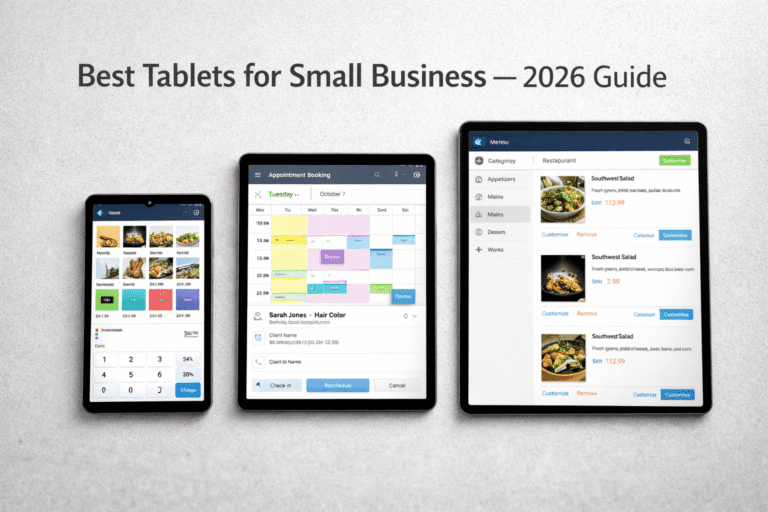
If you’re building out a home or office entertainment setup and weighing your device options, here’s our guide to the best tablets for small business in 2026. Most of them run Plex natively.