How to Remove Gemini Watermark from Image (Free Tool, 2026)
How to Remove Gemini Watermark from Image (Free, No Account Needed)
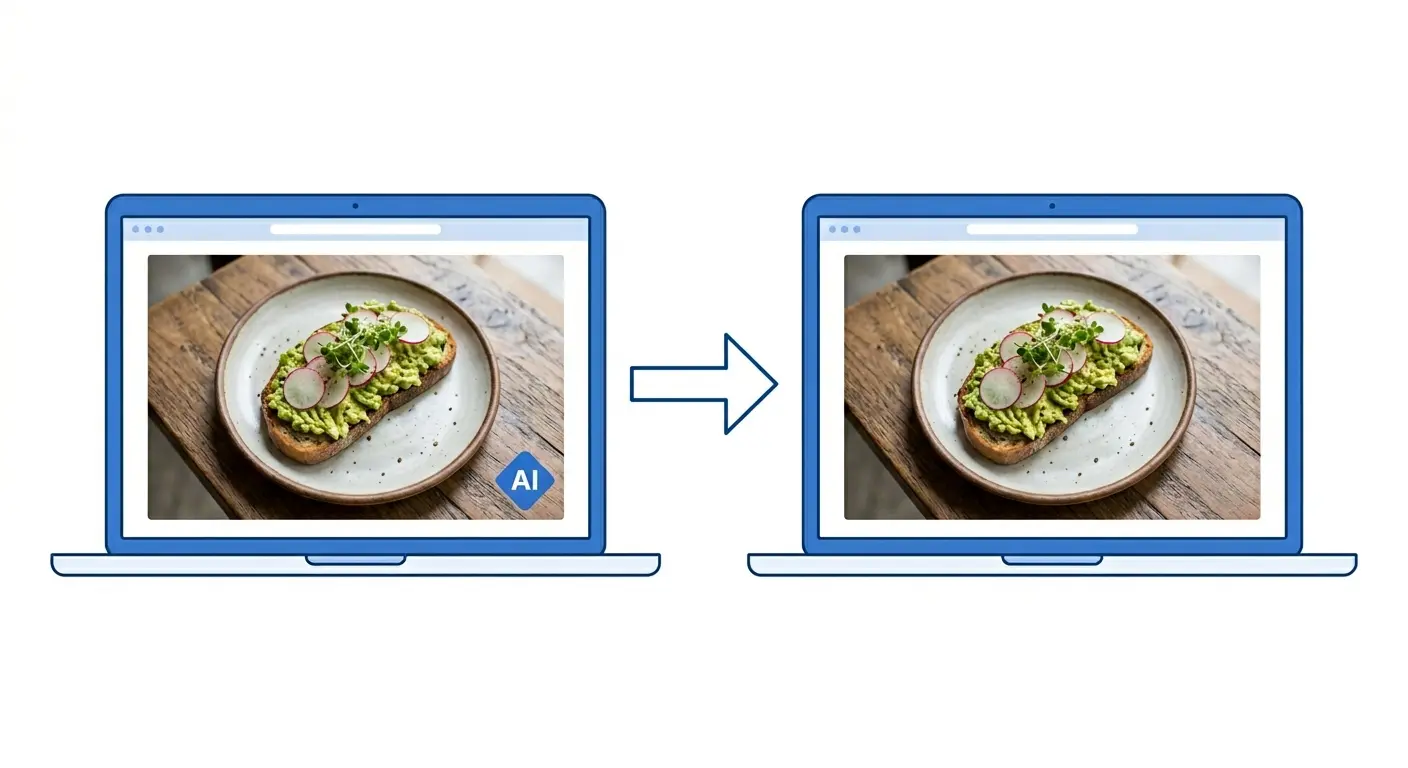
If you generated an image with Google Gemini and need to remove the Gemini watermark from it before using it for your business, the fastest way is EraseAI (eraseai.io). It runs entirely in your browser, processes the image on your device without uploading it to a server, and takes about ten seconds. No account required for the first three uses.
EraseAI is the cleanest tool available right now to remove the Gemini AI watermark badge from images. The watermark remover is browser-based, meaning your image never leaves your computer. Three free uses, no sign-up. Core Pass (all tools, unlimited) costs $9.99 one time.
How to Remove the Gemini Watermark from Your Image: Step by Step
The Gemini watermark badge appears in the bottom corner of images generated through Google Gemini. It identifies the image as AI-generated. If you want to use that image in a menu, social post, flyer, or website without the badge showing, here is exactly how to remove it using EraseAI.
📋 Remove Gemini Watermark with EraseAI
Go to eraseai.io in any browser. No account required for your first three uses.
On the homepage, click AI Watermark Remover for Google Gemini Images to expand the tool.
Click the upload area and select your Gemini image, or drag and drop the file directly onto it. Accepted formats: PNG, JPEG, WebP.
The tool processes the image entirely in your browser. The Gemini badge is detected and removed automatically. No manual selection needed.
Click Download to save the clean image to your device. The file is never stored on EraseAI’s servers.
After downloading, use EraseAI’s built-in Image Format Converter (also free, 3 uses) to convert the PNG to WebP before uploading to WordPress. WebP files are 25–35% smaller than PNG with no visible quality difference, which means faster page load times. Go to eraseai.io, expand Image Format Converter, select your cleaned image, choose WebP as the output format, and download.
What Else Can You Do with EraseAI to Clean Up Gemini Images
The watermark remover is the tool most people come for, but EraseAI has four other tools that are genuinely useful for small business owners working with AI-generated images. All five are available under the $9.99 Core Pass.
Converts between PNG, JPEG, WebP, and BMP. Useful for compressing images before uploading to your website or Google Business profile.
Resize to exact pixel dimensions or crop to a specific aspect ratio. Good for squaring up images for Instagram or resizing for a banner.
Add your own text watermark to any image. Set a single position or tile it across the whole image to protect content you share online.
Merge, compress, split, and unlock PDFs. Also converts images to PDF and vice versa. Useful if you’re building menus or flyers from AI images.
✓ What Works
- Fully browser-based: image never leaves your device
- No account needed for the first 3 uses
- Removes the Gemini badge automatically, no manual selection
- $9.99 one-time fee for unlimited access (no subscription)
- Also handles format conversion and resizing in the same tool
✗ What to Watch
- Built specifically for Gemini’s badge: not a general inpainting tool for arbitrary watermarks
- PDF tools (merge, compress, split) require the Core Pass: not included in the free tier
- No desktop app or API: browser only
- Core Pass access lasts only as long as the service runs, not a perpetual guarantee
I put together a set of AI-generated food images for a pupuseria in Hialeah. The owner wanted new photos for her Google Business profile but couldn’t afford a food photographer. We used Gemini to generate the images, but every one came out with the watermark badge in the corner. I ran all twelve through EraseAI in about three minutes, converted them to WebP while I was at it, and she had clean images ready to upload the same afternoon. Her profile views went up 40% in the first month. The whole tool cost her nothing on the free tier.
— Carlos Mendoza, Network Engineer · Miami, FLIs It Legal to Remove the Gemini Watermark from Your Image?
Yes, if you generated the image yourself using your own Google account. Google’s terms allow you to use Gemini-generated images for personal and commercial purposes. The watermark badge is not a copyright indicator. It is an AI identification label. Removing it from your own generated image does not violate Google’s terms of service.
Where this gets complicated: if you are removing a watermark from an image you did not generate (for example, a stock photo or someone else’s work), that is a separate legal issue that has nothing to do with EraseAI’s tool. EraseAI’s own terms of service make clear that responsibility for legal use sits with the user. Use it on images you created.
Who Should (and Shouldn’t) Use EraseAI for Gemini Watermark Removal
If you are already generating images with Gemini for your business, removing the Gemini watermark from those images takes about ten seconds with EraseAI. Three uses are free with no account. If you need more, the Core Pass is $9.99 and covers all five tools with no monthly fee.
Remove Your Gemini Watermark Now
Browser-based, no account needed for your first three images. Takes ten seconds per image.
Try EraseAI Free →