Filament vs Resin 3D Printer: Which One Should You Buy in 2026?
Filament vs Resin 3D Printer: Which One Should You Buy in 2026?
The filament vs resin 3D printer question trips up most first-time buyers because the two technologies look similar on paper but behave completely differently in practice. Filament printers (technically called FDM, or Fused Deposition Modeling) melt plastic and build objects layer by layer. Resin printers use UV light to cure liquid plastic into solid form. Same end result, very different process, very different tradeoffs. Get the wrong one for your use case and it collects dust within a month.
For most first-time buyers, a filament printer is the right call. It’s cheaper to run, easier to maintain, and handles the widest range of projects without hazardous chemicals or ventilation requirements. Resin wins on detail: if you’re printing miniatures, dental models, or jewelry, there’s no substitute. But resin is a commitment, not a casual purchase.
What Actually Differs Between a Filament and Resin 3D Printer
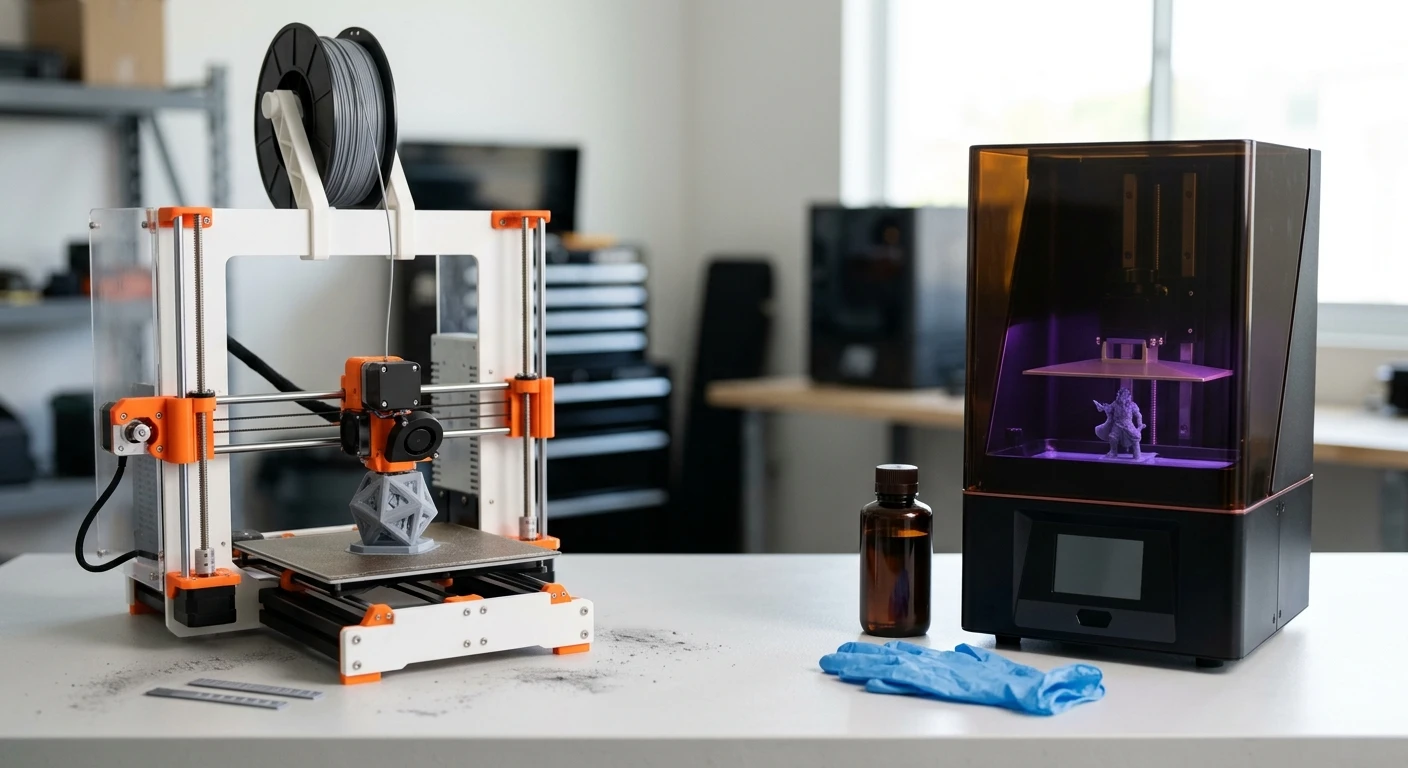
A filament printer works by feeding a spool of plastic (the filament) through a heated nozzle that melts it and deposits it onto a build plate. The print head moves in X and Y directions while the plate lowers layer by layer. The most common filament material is PLA (Polylactic Acid), derived from corn starch, which prints at low temperatures and doesn’t require ventilation. An entry-level filament printer like the Bambu Lab A1 Mini runs around $300 and can print objects up to 180 x 180 x 180mm.
A resin printer works differently. The build plate sits above a tank of liquid photopolymer resin, which is UV-sensitive liquid plastic. A UV light source below the tank flashes each layer’s shape, curing (hardening) the resin in exactly that pattern. The plate lifts one layer at a time. The result is dramatically finer detail than filament: layer heights as thin as 10 microns (µm), compared to 100–200µm on a typical filament printer. The liquid resin is toxic, requires nitrile gloves and ventilation, and every print needs a post-processing wash in IPA (isopropyl alcohol) before it’s safe to handle.
Solid plastic spools. Non-toxic, low maintenance. PLA is the easiest starting material: prints at 200°C and needs no enclosure.
MSLA (Masked Stereolithography) uses an LCD screen to mask UV light. Most consumer resin printers today use this method. Produces the sharpest details available under $500.
Filament: 100–300µm standard. Resin: 10–50µm. A human hair is about 70µm. Resin detail is visible to the naked eye in ways filament detail isn’t.
Modern filament printers (Bambu, Creality K-series) now print at 250–500mm/s. Resin print time depends on layer count, not surface area: a tray of 20 miniatures prints in the same time as one.
Filament vs Resin 3D Printer: Side-by-Side Comparison
| Category | Filament (FDM) | Resin (MSLA) |
|---|---|---|
| Entry price | $200–$350 Lower | $200–$400 |
| Material cost per kg | $18–$25 (PLA) | $25–$50 (standard resin) |
| Print detail | Good (100–300µm layers) | Excellent (10–50µm layers) Better |
| Build volume | Up to 350 x 350 x 350mm+ Larger | Typically 200 x 120 x 220mm |
| Post-processing | None required Easier | IPA wash + UV cure station required |
| Ventilation needed | No (PLA/PETG) | Yes, resin fumes are toxic Filament wins |
| Failure cleanup | Peel off print bed, wipe nozzle | Drain and filter the vat, clean FEP film (15–30 min) |
| Best for | Functional parts, enclosures, props | Miniatures, jewelry, dental, engineering prototypes |
Pros and Cons of Each Printer Type
✓ Filament (FDM): What Works
- Non-toxic materials, safe on a desk or kitchen table
- Larger build volume for bigger parts
- Lowest cost per print of any 3D printing method
- Wide material options: PLA, PETG, TPU (flexible), ABS, nylon
- Failed prints are easy and safe to clean up
- No protective gear required for most filaments
✗ Filament (FDM): What to Watch
- Visible layer lines on curved surfaces: requires sanding for a smooth finish
- Structural weak points along the layer direction, not ideal for load-bearing parts
- Fine detail (teeth, threads under 2mm) can be inconsistent
- Stringing and oozing are common with certain materials until dialed in
✓ Resin (MSLA): What Works
- Exceptional detail: surface finish looks injection-molded out of the printer
- Consistent results across a full build plate of identical parts
- Strong isotropic strength without the layer-direction weakness of FDM
- Ideal for small, intricate objects: miniatures, rings, dental aligners
✗ Resin (MSLA): What to Watch
- Liquid resin is toxic: requires nitrile gloves, eye protection, and ventilation at all times
- Mandatory post-processing: IPA wash station + UV cure lamp add $60–$120 to setup cost
- Small build volume, most consumer resin printers max out around 200 x 120mm
- Resin shelf life is 12 months once opened; unused resin left in the vat can cure from ambient UV light
- Waste resin must be UV-cured before disposal. Never pour it down the drain.
📋 How to Set Up a Resin Printer for the First Time (Elegoo Saturn 4 Ultra)
Level the build plate before adding any resin. On the printer’s touchscreen go to Tools → Leveling, loosen the four plate bolts, lower the plate to the FEP film (the transparent membrane at the bottom of the vat), tighten the bolts, then raise to the home position.
Pour resin to the MAX fill line, not above it. Wear nitrile gloves and do this near an open window or under a ventilation hood. Do not reuse nitrile gloves; resin permeates the material over time.
Slice your model in Chitubox or Lychee Slicer (both free). Set exposure time to the resin manufacturer’s recommended value, usually printed on the bottle. For Elegoo Standard Resin, start at 2.5 seconds per layer at 0.05mm layer height.
After the print finishes, remove the build plate with gloves on, scrape off the print with the included metal spatula, and place prints in an IPA (isopropyl alcohol) wash station for 2 minutes. Then cure under a UV lamp for 2–5 minutes. The Elegoo Mercury Plus handles both steps.
After your print session, cover the vat. If not printing again within a week, pour resin back into the bottle through a paint strainer to remove any cured particles, then wipe the vat with a paper towel dampened with IPA. Never leave resin exposed to UV light for more than a few hours.
If you’re buying a filament printer and printing PLA, skip the enclosure. You don’t need it. But if you ever print ABS or ASA (UV-resistant outdoor plastic), you will. The Bambu Lab A1 Mini has an optional enclosure add-on for $60. Buy it at the same time as the printer; it’s harder to find separately at that price.
A dental office in Doral asked me to help them network a resin printer they’d bought for printing temporary crowns. They’d set it up in a small interior room with no window and no exhaust, just a wall AC unit recirculating the air. By the second week, the staff was getting headaches. We ended up routing a 4-inch duct through the drop ceiling to the building’s exhaust shaft and adding a carbon filter enclosure around the printer. The hardware fix took half a day. Resin in an unventilated room isn’t a minor inconvenience. Plan for ventilation before you buy, not after.
— Carlos Mendoza, Network Engineer · Miami, FLWhich Filament and Resin 3D Printer to Actually Buy
Both categories have dozens of options. These are the two I’d buy today.
- 180 x 180 x 180mm build volume
- Up to 500mm/s print speed
- Auto-calibration: levels itself
- Bambu Studio slicer (free, beginner-friendly)
- Optional AMS Lite for multi-color printing
- Works with PLA, PETG, TPU out of the box
- 218.88 x 123.12 x 260mm build volume
- 12K mono LCD, 19µm XY resolution
- 4x faster exposure than previous Saturn models
- Compatible with Chitubox and Lychee Slicer
- Add Elegoo Mercury Plus wash/cure station (~$60)
- Budget ~$50 extra for nitrile gloves, IPA, carbon filter
Who Should Buy Which Printer
Pick based on your use case, not the price tag. A filament vs resin 3D printer isn’t a better-vs-worse comparison. Filament handles 90% of projects without any setup overhead. Resin produces detail that filament can’t match, but it demands a workspace and a workflow. Know which one you need before you buy.
Ready to Buy Your First 3D Printer?
Both picks below are in stock, beginner-ready, and the best value in their category right now.