Best Camera for Product Photography for Small Businesses (2026)
Best Camera for Product Photography for Small Businesses (2026)
If your product photos look like they were taken with a potato, you’re leaving money on the table. A restaurant in Coral Gables redesigned their whole menu — new fonts, new layout — and sales barely moved. Then they spent $700 on a camera and a lightbox, retook every dish photo, and their online order rate jumped 30% in six weeks. The photos did more than the redesign. That’s the power of a good camera for product photography, and it applies to every small business selling anything visual: food, retail, handmade goods, salon services.
This guide is for the restaurant owner who wants better photos for DoorDash, the boutique owner photographing inventory for Instagram, and the salon posting before-and-afters. You don’t need to become a photographer. You need the right tool.
For most small businesses, the Sony ZV-E10 II (~$999 body / $1,099 with lens) hits the sweet spot: interchangeable lenses, outstanding autofocus, and a flip screen built for solo shooting. On a tighter budget, the Canon EOS R50 (~$799) is the most beginner-friendly mirrorless camera available right now. For fine-detail work — jewelry, cosmetics, premium retail — step up to the Sony a6700 (~$1,399).
What Actually Matters for Small Business Product Photography
Camera reviewers obsess over burst speed, weather sealing, and 8K video. You need none of that. What you need is a camera that produces sharp, accurate-color images of your product — in a small space, possibly without a dedicated photographer, and without a week-long learning curve.
You’re shooting close-up. The camera needs to grab focus accurately every time, not hunt around and blur your dish or necklace.
Overhead flat lays — for food, jewelry, products — are nearly impossible without a screen that tilts toward you when the camera points straight down.
The kit lens works to start. When you need a macro lens for jewelry or a prime for food, you’ll want the option available.
Food looks wrong when colors shift. A camera that handles reds and warm tones accurately — without heavy editing — saves time on every shoot.
One thing that doesn’t matter much for your use case: megapixels beyond 20. More MP helps if you’re printing large or cropping aggressively. For Instagram, DoorDash, and your website, 20–24MP is more than enough. Every camera in this guide clears that bar.
The 3 Best Cameras for Small Business Product Photography
All three picks are mirrorless — the format that has replaced DSLR (Digital Single-Lens Reflex) cameras because they’re smaller, focus faster, and handle video better. All three accept interchangeable lenses. None require you to understand manual settings to get good results from day one.
1. Sony ZV-E10 II Top Pick
~$999 body only · ~$1,099 with 16-50mm lens · View on Amazon →Sony built this camera specifically for creators who shoot alone. The 26MP APS-C sensor — APS-C is a cropped sensor, smaller than a professional full-frame camera but significantly better than a smartphone — is sharp and color-accurate out of the box. The fully articulating touchscreen flips out completely, so overhead flat-lay shots become easy. Autofocus is fast and reliable even in lower light.
The biggest practical win: Wi-Fi transfer lets you send photos directly to your phone without touching a computer. The menu system is also friendlier than earlier Sony cameras.
Best for: Food service, retail, salons — and any business that also shoots short product videos for social media.
✓ What Works
- Fully articulating flip screen
- Strong autofocus for stills and video
- Wi-Fi direct transfer to phone
- Sony E-mount lens selection is the widest available
- Handles low restaurant and salon light well
✗ What to Watch
- No viewfinder (eyepiece)
- Average battery life (~300 shots per charge)
- Body-only price — kit lens is a separate purchase
2. Canon EOS R50 Budget Pick
~$799 with kit lens (on sale from $899) · View on Amazon →Canon’s color science — the way its cameras render food colors, fabric textures, and skin tones — is consistently better than the competition at this price. The R50’s 24.2MP sensor produces JPEGs (standard photo files) that look good with minimal editing. The subject-recognition autofocus is the best in its price class. It comes with an 18-45mm kit lens that handles most product photography without any additional purchase.
The screen tilts but doesn’t flip fully out like the ZV-E10 II — a minor limitation for overhead shots you can work around with a raised tripod arm.
Best for: First-time camera buyers, clothing and accessories retailers, anyone who wants solid results with minimal setup time.
✓ What Works
- Comes with a kit lens — ready out of the box
- Most beginner-friendly interface of the three
- Excellent JPEG color with no editing needed
- Compact and lightweight body
✗ What to Watch
- Screen tilts but doesn’t fully articulate
- No in-body image stabilization
- Smaller lens ecosystem than Sony
3. Sony a6700
~$1,399 body only · View on Amazon →This is the camera for businesses where fine detail is the product — jewelry, cosmetics, handmade goods, premium clothing. The 26MP APS-C sensor holds up under heavy cropping. The autofocus is the most accurate of the three, and the in-body stabilization (IBIS — the sensor physically moves to compensate for camera shake) means sharper handheld shots even in softer light.
It’s significantly more capable than the other two, but also more complex. If you’re not comfortable learning camera settings over a few weeks, the R50 or ZV-E10 II will serve you better and actually get used.
Best for: Jewelry stores, cosmetics brands, premium retail, any product where photos need to hold up at full zoom.
✓ What Works
- Best image quality of the three
- In-body stabilization (IBIS) for handheld shots
- Excellent low-light performance
- Top-tier autofocus tracking
✗ What to Watch
- Significantly higher upfront cost
- Steeper learning curve than R50 or ZV-E10 II
- Heavier body — matters for frequent handheld shooting
How to Set Up Your First Product Shot
The camera matters, but your setup matters just as much. A $1,400 camera with bad lighting produces worse results than an $800 camera with a simple lightbox and a clean background. Here’s the process that works for small business owners with no photography background:
📋 Setup Path: First Product Shoot in 6 Steps
Choose your background. White foam board from any office supply store costs $2 and eliminates distractions. Avoid busy tablecloths or countertops — they compete with the product.
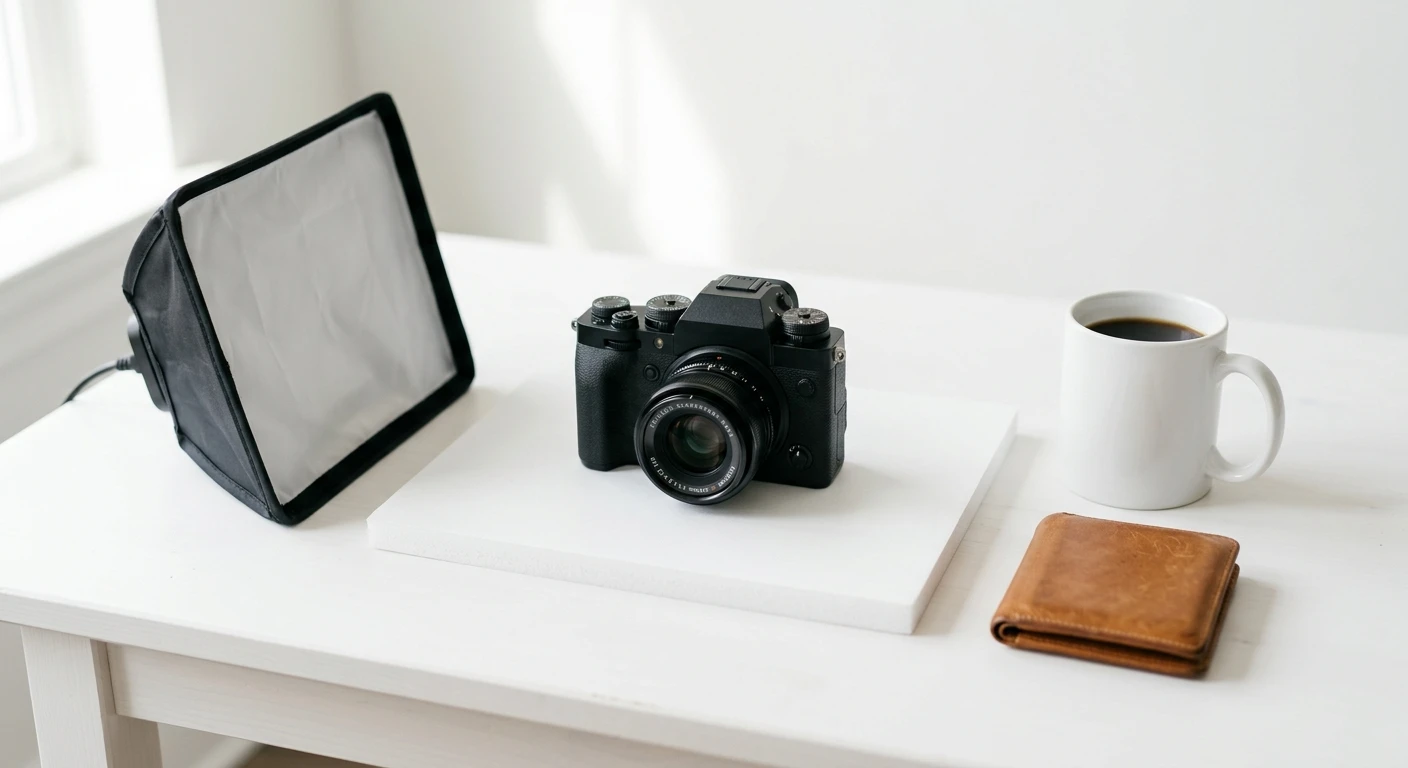
Set your light source. Natural window light is free and excellent for food and small products. Position the product so the window is to the side, not behind you. For nighttime or windowless rooms, a basic LED softbox kit ($40–60 on Amazon) does the job.
Put the camera on a tripod. Handheld product shots almost always show blur at the edges. Even a $25 tripod eliminates this. For overhead flat lays, search for “overhead tripod arm” — you need one that extends above the product.
Set the camera to Auto mode. On the Canon R50: turn the mode dial to the green A+ icon. On the Sony ZV-E10 II: press Menu → Shooting Mode → Intelligent Auto. This is where you start — not where you stay.
Turn off overhead fluorescent lights. Mixed light sources — a window plus fluorescent room lights — produce a color cast that makes food look wrong and products look cheap. One light source at a time.
Transfer photos to your phone via Wi-Fi. On Sony: Menu → Network → Send to Smartphone. On Canon: download the Canon Camera Connect app and follow the pairing prompt. Skip the computer entirely and go straight to posting.
- For food photography: shoot within 10 minutes of plating. Steam and moisture change how a dish looks fast.
- Use the 2-second self-timer even on a tripod — pressing the shutter button creates micro-vibration that shows up in close-up shots.
- On the Sony ZV-E10 II: set
Creative Look → FL(Film-like) for food. It boosts warm tones and makes dishes look more appetizing without any editing. - For jewelry and small items: add a macro lens (Sony E 30mm f/3.5 Macro, ~$200) to any of these three bodies. You won’t get true close-up detail shots without one.
- Shoot in RAW+JPEG: the JPEG is ready to post immediately; the RAW file is there if you need to fix white balance later in Lightroom Mobile.
A Doral bakery I set up Wi-Fi for last year was uploading phone photos to their Google Business listing — the pastries looked flat and dull under the shop’s overhead lighting. They picked up a Canon R50, set it on a $30 tripod next to their best window, and started shooting with the kit lens on Auto mode. No editing, no filters. Within two months, their Google reviews started mentioning the photos specifically. One review said they ordered because the pictures looked so good. That’s an $800 camera doing the work of a marketing consultant.
— Carlos Mendoza, Network Engineer · Miami, FLWhich Camera Fits Your Business Type?
| Business Type | Recommended Camera | Key Reason |
|---|---|---|
| Restaurant / Café Best Match | Sony ZV-E10 II | Flip screen for table shots, warm color tones, handles dim light |
| Boutique / Clothing Retail | Canon EOS R50 | Best fabric color accuracy; easiest to use for non-photographers |
| Jewelry / Cosmetics | Sony a6700 | Fine detail and shine require macro capability and high resolution |
| Salon / Beauty Services | Canon EOS R50 | Before-and-after shots benefit from accurate skin tone rendering |
| Home Goods / Handmade | Canon EOS R50 | Texture and natural color rendering are excellent at this price |
What a Complete Setup Actually Costs
The camera is only part of it. Here’s what a full product photography setup costs for a small business:
- Canon R50 with kit lens ($799)
- Basic tripod ($30)
- Foam board background ($2)
- Window light (free)
- Sony ZV-E10 II with 16-50mm lens ($1,099)
- Lens included in kit price
- Overhead tripod arm ($40)
- LED softbox kit ($60)
- Foam board ($2)
- Sony a6700 body ($1,399)
- Macro lens ($200)
- Tripod ($50)
- LED softbox kit ($60)
Who Should (and Shouldn’t) Buy a Camera
The best camera for product photography is the one that actually gets used. A Sony a6700 sitting in a box because it feels complicated is worse than a Canon R50 you shoot with every day. Pick the camera that matches your current skill level, not your aspirational one — you can upgrade the lens first, and the body later.
Lighting beats gear every time. A $200 camera with a good softbox will beat a $1,400 camera in a dim hallway. Fix your light before you upgrade your camera.
Ready to Upgrade Your Product Photos?
The Canon EOS R50 is our top pick for most small business owners — beginner-friendly, includes a kit lens, and produces excellent color straight out of the box.
See Canon EOS R50 on Amazon →